

修复 opencode 在 Windows 终端下的中文乱码问题
修复 opencode 在 Windows 终端下的中文乱码问题 - zz6zz666的文章 - 知乎
https://zhuanlan.zhihu.com/p/2048159674290197738
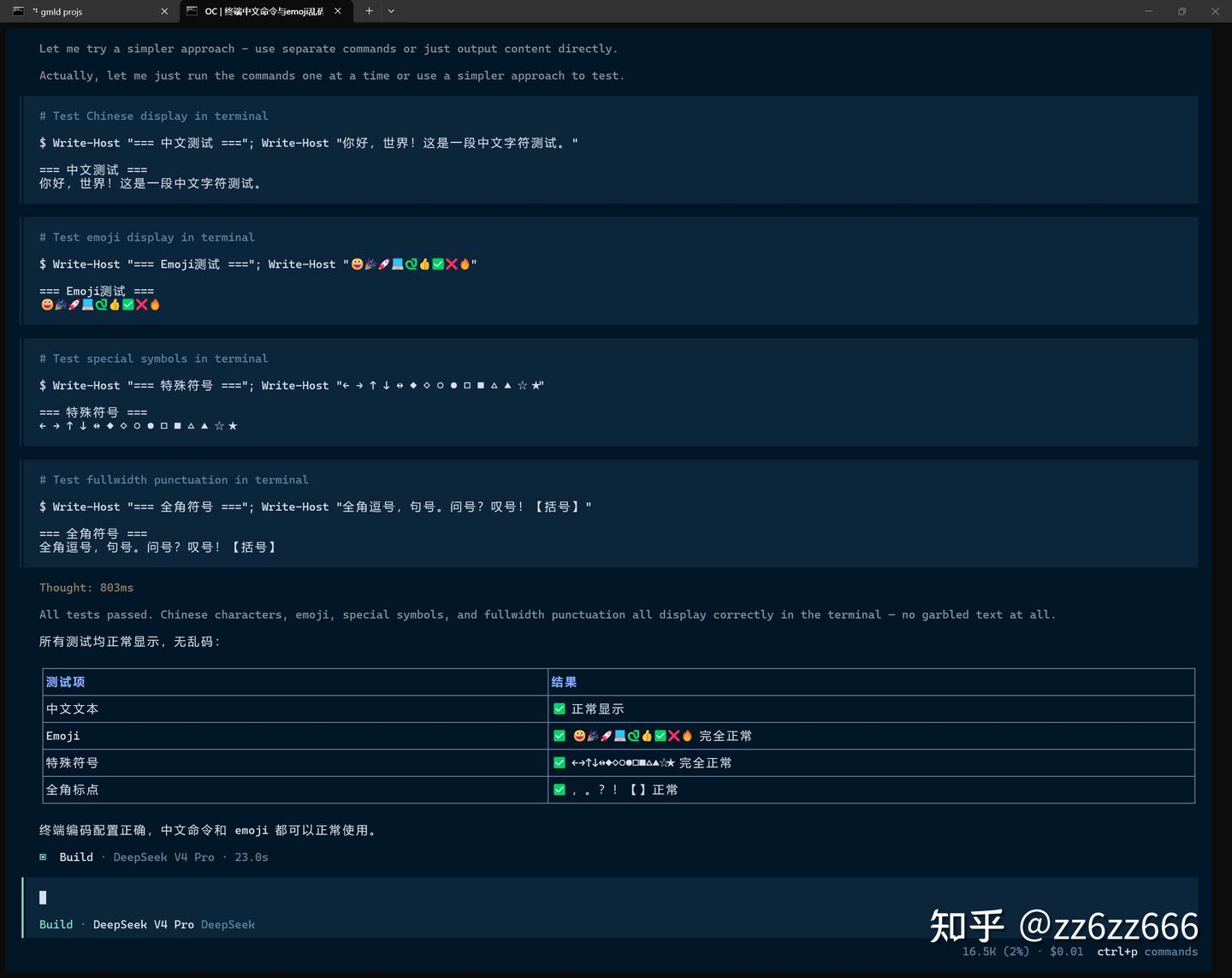
问题
Windows 控制台默认代码页为 GB2312 (936),导致 opencode 通过 PowerShell 执行 Bash 工具命令时中文输出乱码。此问题与 PowerShell 版本无关——PS 5.1 和 PS 7+ 均受控制台代码页影响。
解决方案
通过配置 shell 字段,使用包装脚本在进程层面隐式设置 UTF-8 编码,不污染命令内容。
涉及文件
| 文件 | 说明 |
|---|---|
| ~/.config/opencode/shell-utf8.cmd | 批处理入口:设置控制台代码页,委托至 PS 脚本 |
| ~/.config/opencode/shell-utf8-impl.ps1 | PowerShell 脚本:设置 OutputEncoding/InputEncoding 并执行原命令 |
| ~/.config/opencode/opencode.json | 配置 “shell” 字段指向 .cmd 包装脚本 |
文件内容
shell-utf8.cmd
推荐使用 PowerShell 7(pwsh.exe),其对 UTF-8 有原生支持。如未安装 PS 7,可将 pwsh.exe 改回 powershell.exe(见下方版本说明)。
@echo off
chcp 65001 > nul 2>&1
pwsh.exe -NoProfile -ExecutionPolicy Bypass -File "%~dp0shell-utf8-impl.ps1" %*
shell-utf8-impl.ps1
[Console]::OutputEncoding = [System.Text.Encoding]::UTF8
[Console]::InputEncoding = [System.Text.Encoding]::UTF8
$OutputEncoding = [System.Text.Encoding]::UTF8

$argsList = $args
$cmdIdx = [array]::IndexOf($argsList, '-Command')
if ($cmdIdx -lt 0) { $cmdIdx = [array]::IndexOf($argsList, '-c') }
if ($cmdIdx -ge 0 -and $cmdIdx + 1 -lt $argsList.Count) {
    Invoke-Expression $argsList[$cmdIdx + 1]
}
opencode.json (关键改动)
{
  "$schema": "https://opencode.ai/config.json",
  "shell": "C:\\Users\\<用户名>\\.config\\opencode\\shell-utf8.cmd",
  ...
}
PowerShell 版本说明
推荐:PowerShell 7+ (pwsh.exe)
PS 7 的 [Console]::OutputEncoding 和 $OutputEncoding 默认为 UTF-8,无需 .ps1 额外设置即可正确处理中文管道与重定向。包装脚本的主要作用是 chcp 65001 切换控制台代码页,以及兜底显式设置编码。
安装方式:winget install Microsoft.PowerShell 或从 GitHub Releases 下载。
备选:PowerShell 5.1 (powershell.exe)
Windows 内置的 PS 5.1 默认编码为 GB2312,.ps1 中的三行编码设置是必须的,否则即使 chcp 65001 切换了控制台代码页,.NET 层的输出编码仍会回退到 GB2312。
如需使用 PS 5.1,将 shell-utf8.cmd 第三行的 pwsh.exe 改为 powershell.exe:
@echo off
chcp 65001 > nul 2>&1
powershell.exe -NoProfile -ExecutionPolicy Bypass -File "%~dp0shell-utf8-impl.ps1" %*
对照
| PS 5.1 | PS 7+ | |
|---|---|---|
| chcp 65001 | 必须 | 必须 |
| .ps1 编码设置 | 必须(否则回退 GB2312) | 推荐(兜底保障) |
| 原生 UTF-8 支持 | 否 | 是 |
原理
- opencode 启动时读取
shell配置,用包装脚本替代默认 shell - 每次 Bash 工具执行命令时,opencode 调用
shell-utf8.cmd -c "<命令>" .cmd执行chcp 65001切换控制台代码页为 UTF-8.cmd将参数传递给.ps1,.ps1设置[Console]::OutputEncoding等编码参数(PS 5.1 必须,PS 7 兜底).ps1从参数中提取-c或-Command后的命令字符串并执行- 整个过程对用户和 AI 完全透明,命令本身不受污染
生效方式
修改 opencode.json 后需重启 opencode(配置在启动时加载)。.ps1 和 .cmd 脚本可热更新,无需重启。
回滚
删除 shell 配置行(或改为 "pwsh" / "powershell.exe")并重启即可恢复默认。
[…] 解决:参考 修复 opencode 在 Windows 终端下的中文乱码问题 – limitless。 […]